Expand volume in Linux

Example:

[root@test home]# lsblk
NAME            MAJ:MIN RM   SIZE RO TYPE MOUNTPOINT
fd0               2:0    1     4K  0 disk
sda               8:0    0   700G  0 disk
├─sda1            8:1    0     1G  0 part /boot
└─sda2            8:2    0   199G  0 part
  ├─centos-root 253:0    0    50G  0 lvm  /
  ├─centos-swap 253:1    0   7.9G  0 lvm  [SWAP]
  └─centos-home 253:2    0 141.1G  0 lvm  /home
sr0              11:0    1  1024M  0 rom

[root@test home]# lsblk -fp
NAME                        FSTYPE      LABEL UUID                                   MOUNTPOINT
/dev/fd0
/dev/sda
├─/dev/sda1                 xfs               5ea8ba5d-9e1f-44f2-83d5-82556769772f   /boot
└─/dev/sda2                 LVM2_member       LFSN0Q-qzcc-4hEo-yDkf-RkHH-zQ61-lXdeOk
  ├─/dev/mapper/centos-root xfs               bc7e9c4b-a595-4740-9e77-039c16c2484c   /
  ├─/dev/mapper/centos-swap swap              7e03f9e4-44c7-459f-a59b-b7d9b172d483   [SWAP]
  └─/dev/mapper/centos-home xfs               6fd28bf0-88d7-4a0e-9a95-2eaec09524d3   /home
/dev/sr0

# Extend Partition of /dev/sda2
[root@test home]# growpart /dev/sda 2
CHANGED: partition=2 start=2099200 old: size=417331200 end=419430400 new: size=1465907167 end=1468006367

[root@test home]# lsblk
NAME            MAJ:MIN RM   SIZE RO TYPE MOUNTPOINT
fd0               2:0    1     4K  0 disk
sda               8:0    0   700G  0 disk
├─sda1            8:1    0     1G  0 part /boot
└─sda2            8:2    0   699G  0 part
  ├─centos-root 253:0    0    50G  0 lvm  /
  ├─centos-swap 253:1    0   7.9G  0 lvm  [SWAP]
  └─centos-home 253:2    0 141.1G  0 lvm  /home
sr0              11:0    1  1024M  0 rom

# show physical volume information
[root@test home]# pvs
  PV         VG     Fmt  Attr PSize    PFree
  /dev/sda2  centos lvm2 a--  <199.00g 4.00m

# show volume group information
[root@test home]# vgs
  VG     #PV #LV #SN Attr   VSize    VFree
  centos   1   3   0 wz--n- <199.00g 4.00m

# Expand the Physical Volume on /dev/sda2 after enlarging the partition
[root@test home]# pvresize /dev/sda2
  Physical volume "/dev/sda2" changed
  1 physical volume(s) resized or updated / 0 physical volume(s) not resized

# show physical volume information
[root@test home]# pvs
  PV         VG     Fmt  Attr PSize    PFree
  /dev/sda2  centos lvm2 a--  <699.00g 500.00g

# show volume group information
[root@test home]# vgs
  VG     #PV #LV #SN Attr   VSize    VFree
  centos   1   3   0 wz--n- <699.00g 500.00g

# extend the size of the Logical Volume from the Volume Group
[root@test home]# lvextend -r -l +100%FREE /dev/mapper/centos-root
  Size of logical volume centos/root changed from 50.00 GiB (12800 extents) to 550.00 GiB (140801 extents).
  Logical volume centos/root successfully resized.
meta-data=/dev/mapper/centos-root isize=512    agcount=4, agsize=3276800 blks
         =                       sectsz=4096  attr=2, projid32bit=1
         =                       crc=1        finobt=0 spinodes=0
data     =                       bsize=4096   blocks=13107200, imaxpct=25
         =                       sunit=0      swidth=0 blks
naming   =version 2              bsize=4096   ascii-ci=0 ftype=1
log      =internal               bsize=4096   blocks=6400, version=2
         =                       sectsz=4096  sunit=1 blks, lazy-count=1
realtime =none                   extsz=4096   blocks=0, rtextents=0
data blocks changed from 13107200 to 144180224

[root@test home]# lsblk
NAME            MAJ:MIN RM   SIZE RO TYPE MOUNTPOINT
fd0               2:0    1     4K  0 disk
sda               8:0    0   700G  0 disk
├─sda1            8:1    0     1G  0 part /boot
└─sda2            8:2    0   699G  0 part
  ├─centos-root 253:0    0   550G  0 lvm  /
  ├─centos-swap 253:1    0   7.9G  0 lvm  [SWAP]
  └─centos-home 253:2    0 141.1G  0 lvm  /home
sr0              11:0    1  1024M  0 rom

growpart – extend a partition in a partition table to fill available space

パーティションサイズの拡張

How to resize a logical volume with 5 simple LVM commands

termux configure

install openssh:

pkg upgrade
pkg install openssh

setup password:

passwd

get the username:

whoami

change the ssh server port:

nano /data/data/com.termux/files/usr/etc/ssh/sshd_config

add the line below after the last line:

ListenAddress 0.0.0.0:portNumber

start ssh server:

sshd

stop the ssh server:

pkill sshd

get the sshd information:

sshd -e -d -d -d

Termux Wiki Remote Access

set proxy to download python package under company network

In command prompt, input below:

set http_proxy=http://account:Password@proxyServerIP:port
set https_proxy=http://account:Password@proxyServerIP:port

check the information you put:

set http

Then go to python interpreter folder, download package:

python -m pip install packageName --trusted-host pypi.python.org --trusted-host pypi.org --trusted-host files.pythonhosted.org --target=c:/tibco/python/lib

PostgreSQL+Rocky9+Spotfire Server 12 Installation

1. make spotfire account in Linux

adduser spotfire
passwd spotfire

2. make the account as sudoer

visudo

add spotfire as the sudoer in the block: Allow root to run any commands anywhere

## Allow root to run any commands anywhere
root    ALL=(ALL)       ALL
spotfire ALL=(ALL)       ALL

3. install the postgreSQL

sudo yum install postgresql-server postgresql-contrib
sudo postgresql-setup initdb
sudo systemctl enable postgresql
sudo systemctl start postgresql
 
sudo passwd postgres
su - postgres
psql postgres

set the IPv4 local connections and password authority if necessary, METHOD -> md5

sudo vi /var/lib/pgsql/data/pg_hba.conf

restart the postgresql service

sudo systemctl restart postgresql

4. login as spotfire, and download the spotfire installer, unzip it

tar -xvf TIB_sfire_server_12.0.0_linux.tar

5. creat databases for spotfire server

change the content in /scripts/postgres_install/create_databases.sh as below:

# Uncomment to set variables:
 PGHOST=localhost
 PGPORT=5432
 DBSERVER_ADMIN_USERNAME=postgres
 DBSERVER_ADMIN_PASSWORD=manager2
 SPOTFIREDB_DBNAME=spotfire_server
 SPOTFIREDB_USERNAME=spotfire
 SPOTFIREDB_PASSWORD=spotfire

execute it

postgres_install$./create_databases.sh

you got log as below:

CREATE DATABASE
CREATE ROLE
ALTER DATABASE
CREATE TABLE
CREATE TABLE
CREATE TABLE
CREATE TABLE
CREATE TABLE
CREATE TABLE
CREATE TABLE
CREATE TABLE
CREATE TABLE
CREATE TABLE
CREATE TABLE
CREATE INDEX
CREATE INDEX
CREATE TABLE
CREATE INDEX
CREATE INDEX
CREATE TABLE
CREATE VIEW
CREATE TABLE
CREATE TABLE
CREATE TABLE
CREATE TABLE
CREATE TABLE
CREATE TABLE
CREATE INDEX
CREATE TABLE
ALTER TABLE
CREATE INDEX
ALTER TABLE
CREATE INDEX
CREATE INDEX
ALTER TABLE
CREATE INDEX
CREATE INDEX
CREATE INDEX
CREATE INDEX
ALTER TABLE
CREATE FUNCTION
CREATE FUNCTION
CREATE TRIGGER
CREATE TRIGGER
ALTER TABLE
ALTER TABLE
ALTER TABLE
ALTER TABLE
ALTER TABLE
ALTER TABLE
ALTER TABLE
ALTER TABLE
ALTER TABLE
ALTER TABLE
ALTER TABLE
ALTER TABLE
ALTER TABLE
ALTER TABLE
ALTER TABLE
ALTER TABLE
ALTER TABLE
ALTER TABLE
ALTER TABLE
ALTER TABLE
ALTER TABLE
ALTER TABLE
ALTER TABLE
ALTER TABLE
ALTER TABLE
CREATE VIEW
CREATE TABLE
CREATE TABLE
CREATE TABLE
CREATE TABLE
CREATE TABLE
CREATE TABLE
CREATE INDEX
CREATE INDEX
CREATE INDEX
CREATE TABLE
ALTER TABLE
CREATE INDEX
CREATE INDEX
CREATE INDEX
CREATE INDEX
CREATE INDEX
CREATE INDEX
CREATE INDEX
CREATE VIEW
CREATE FUNCTION
CREATE FUNCTION
CREATE TRIGGER
CREATE TRIGGER
CREATE TABLE
CREATE INDEX
CREATE TABLE
CREATE INDEX
CREATE INDEX
CREATE VIEW
CREATE TABLE
CREATE INDEX
CREATE INDEX
CREATE INDEX
ALTER TABLE
CREATE TABLE
CREATE INDEX
CREATE TABLE
CREATE INDEX
ALTER TABLE
CREATE INDEX
CREATE INDEX
CREATE TABLE
CREATE INDEX
CREATE INDEX
CREATE VIEW
CREATE TABLE
CREATE INDEX
CREATE INDEX
CREATE VIEW
CREATE TABLE
CREATE INDEX
CREATE TABLE
psql:create_server_db.sql:913: NOTICE:  type reference lib_current_items.item_id%TYPE converted to character
psql:create_server_db.sql:913: NOTICE:  type reference lib_current_items.version_id%TYPE converted to character
psql:create_server_db.sql:913: NOTICE:  type reference lib_current_items.item_id%TYPE converted to character
psql:create_server_db.sql:913: NOTICE:  type reference lib_current_items.version_id%TYPE converted to character
psql:create_server_db.sql:913: NOTICE:  type reference lib_current_items.parent_id%TYPE converted to character
psql:create_server_db.sql:913: NOTICE:  type reference lib_current_items.modified_by%TYPE converted to character
psql:create_server_db.sql:913: NOTICE:  type reference lib_current_items.title%TYPE converted to character varying
CREATE FUNCTION
psql:create_server_db.sql:943: NOTICE:  type reference lib_current_items.item_id%TYPE converted to character
psql:create_server_db.sql:943: NOTICE:  type reference lib_current_items.parent_id%TYPE converted to character
psql:create_server_db.sql:943: NOTICE:  type reference lib_current_items.modified_by%TYPE converted to character
psql:create_server_db.sql:943: NOTICE:  type reference lib_current_items.title%TYPE converted to character varying
CREATE FUNCTION
psql:create_server_db.sql:1111: NOTICE:  type reference lib_current_items.item_id%TYPE converted to character
psql:create_server_db.sql:1111: NOTICE:  type reference lib_current_items.title%TYPE converted to character varying
psql:create_server_db.sql:1111: NOTICE:  type reference lib_current_items.description%TYPE converted to character varying
psql:create_server_db.sql:1111: NOTICE:  type reference lib_current_items.item_type%TYPE converted to character
psql:create_server_db.sql:1111: NOTICE:  type reference lib_item_versions.format_version%TYPE converted to character varying
psql:create_server_db.sql:1111: NOTICE:  type reference lib_current_items.created_by%TYPE converted to character
psql:create_server_db.sql:1111: NOTICE:  type reference lib_current_items.created%TYPE converted to timestamp without time zone
psql:create_server_db.sql:1111: NOTICE:  type reference lib_current_items.modified_by%TYPE converted to character
psql:create_server_db.sql:1111: NOTICE:  type reference lib_current_items.modified%TYPE converted to timestamp without time zone
psql:create_server_db.sql:1111: NOTICE:  type reference lib_current_items.accessed%TYPE converted to timestamp without time zone
psql:create_server_db.sql:1111: NOTICE:  type reference lib_data.content_size%TYPE converted to bigint
psql:create_server_db.sql:1111: NOTICE:  type reference lib_current_items.parent_id%TYPE converted to character
psql:create_server_db.sql:1111: NOTICE:  type reference lib_current_items.hidden%TYPE converted to boolean
psql:create_server_db.sql:1111: NOTICE:  type reference lib_current_items.version_id%TYPE converted to character
psql:create_server_db.sql:1111: NOTICE:  type reference lib_data.data_id%TYPE converted to character
CREATE FUNCTION
psql:create_server_db.sql:1155: NOTICE:  type reference lib_resolved_depend_ver.dependent_version_id%TYPE converted to character
psql:create_server_db.sql:1155: NOTICE:  type reference lib_resolved_depend_ver.required_id%TYPE converted to character
psql:create_server_db.sql:1155: NOTICE:  type reference lib_resolved_depend_ver.description%TYPE converted to character varying
psql:create_server_db.sql:1155: NOTICE:  type reference lib_resolved_depend_ver.cascading_delete%TYPE converted to boolean
psql:create_server_db.sql:1155: NOTICE:  type reference lib_resolved_depend_ver.original_required_id%TYPE converted to character
CREATE FUNCTION
psql:create_server_db.sql:1209: NOTICE:  type reference lib_access.item_id%TYPE converted to character
psql:create_server_db.sql:1209: NOTICE:  type reference lib_access.user_id%TYPE converted to character
psql:create_server_db.sql:1209: NOTICE:  type reference lib_access.permission%TYPE converted to character
CREATE FUNCTION
psql:create_server_db.sql:1290: NOTICE:  type reference lib_current_items.item_id%TYPE converted to character
psql:create_server_db.sql:1290: NOTICE:  type reference lib_current_items.modified_by%TYPE converted to character
CREATE FUNCTION
psql:create_server_db.sql:1440: NOTICE:  type reference lib_current_items.version_id%TYPE converted to character
psql:create_server_db.sql:1440: NOTICE:  type reference lib_current_items.item_id%TYPE converted to character
psql:create_server_db.sql:1440: NOTICE:  type reference lib_current_items.title%TYPE converted to character varying
psql:create_server_db.sql:1440: NOTICE:  type reference lib_current_items.description%TYPE converted to character varying
psql:create_server_db.sql:1440: NOTICE:  type reference lib_current_items.item_type%TYPE converted to character
psql:create_server_db.sql:1440: NOTICE:  type reference lib_item_versions.data_id%TYPE converted to character
psql:create_server_db.sql:1440: NOTICE:  type reference lib_item_versions.format_version%TYPE converted to character varying
psql:create_server_db.sql:1440: NOTICE:  type reference lib_current_items.parent_id%TYPE converted to character
psql:create_server_db.sql:1440: NOTICE:  type reference lib_current_items.hidden%TYPE converted to boolean
psql:create_server_db.sql:1440: NOTICE:  type reference lib_current_items.created_by%TYPE converted to character
CREATE FUNCTION
psql:create_server_db.sql:1529: NOTICE:  type reference lib_current_items.item_id%TYPE converted to character
psql:create_server_db.sql:1529: NOTICE:  type reference lib_current_items.version_id%TYPE converted to character
psql:create_server_db.sql:1529: NOTICE:  type reference lib_current_items.title%TYPE converted to character varying
psql:create_server_db.sql:1529: NOTICE:  type reference lib_current_items.description%TYPE converted to character varying
psql:create_server_db.sql:1529: NOTICE:  type reference lib_item_versions.data_id%TYPE converted to character
psql:create_server_db.sql:1529: NOTICE:  type reference lib_item_versions.format_version%TYPE converted to character varying
psql:create_server_db.sql:1529: NOTICE:  type reference lib_current_items.hidden%TYPE converted to boolean
psql:create_server_db.sql:1529: NOTICE:  type reference lib_current_items.modified_by%TYPE converted to character
CREATE FUNCTION
psql:create_server_db.sql:1681: NOTICE:  type reference lib_current_items.item_id%TYPE converted to character
psql:create_server_db.sql:1681: NOTICE:  type reference lib_current_items.modified_by%TYPE converted to character
CREATE FUNCTION
CREATE FUNCTION
psql:create_server_db.sql:1742: NOTICE:  type reference lib_current_items.item_id%TYPE converted to character
psql:create_server_db.sql:1742: NOTICE:  type reference lib_current_items.version_id%TYPE converted to character
psql:create_server_db.sql:1742: NOTICE:  type reference lib_current_items.modified_by%TYPE converted to character
CREATE FUNCTION
psql:create_server_db.sql:1796: NOTICE:  type reference lib_item_versions.item_id%TYPE converted to character
psql:create_server_db.sql:1796: NOTICE:  type reference lib_item_versions.version_id%TYPE converted to character
psql:create_server_db.sql:1796: NOTICE:  type reference lib_current_items.modified_by%TYPE converted to character
CREATE FUNCTION
CREATE TABLE
CREATE TABLE
CREATE INDEX
CREATE TABLE
ALTER TABLE
CREATE INDEX
CREATE INDEX
CREATE INDEX
CREATE INDEX
CREATE TABLE
ALTER TABLE
CREATE INDEX
CREATE INDEX
CREATE TABLE
CREATE INDEX
CREATE INDEX
CREATE INDEX
CREATE INDEX
CREATE TABLE
CREATE TABLE
ALTER TABLE
CREATE TABLE
ALTER TABLE
CREATE TABLE
CREATE INDEX
CREATE TABLE
CREATE TABLE
ALTER TABLE
ALTER TABLE
CREATE INDEX
CREATE INDEX
CREATE INDEX
CREATE INDEX
CREATE INDEX
CREATE TABLE
ALTER TABLE
CREATE TABLE
ALTER TABLE
ALTER TABLE
CREATE INDEX
CREATE INDEX
CREATE INDEX
CREATE INDEX
CREATE INDEX
CREATE INDEX
CREATE INDEX
CREATE TABLE
ALTER TABLE
ALTER TABLE
ALTER TABLE
CREATE INDEX
CREATE INDEX
CREATE INDEX
CREATE INDEX
CREATE INDEX
CREATE INDEX
CREATE INDEX
CREATE TABLE
ALTER TABLE
CREATE INDEX
CREATE TABLE
CREATE TABLE
CREATE INDEX
CREATE INDEX
CREATE TABLE
CREATE TABLE
CREATE TABLE
CREATE INDEX
CREATE INDEX
CREATE INDEX
ALTER TABLE
CREATE TABLE
CREATE INDEX
ALTER TABLE
CREATE TABLE
ALTER TABLE
CREATE INDEX
CREATE TABLE
CREATE INDEX
CREATE INDEX
CREATE INDEX
CREATE TABLE
CREATE INDEX
CREATE INDEX
CREATE INDEX
CREATE INDEX
CREATE INDEX
CREATE INDEX
CREATE TABLE
CREATE TABLE
CREATE TABLE
CREATE TABLE
CREATE TABLE
CREATE INDEX
CREATE INDEX
CREATE TABLE
CREATE TABLE
CREATE INDEX
CREATE INDEX
CREATE TABLE
CREATE INDEX
CREATE INDEX
CREATE INDEX
CREATE INDEX
CREATE INDEX
CREATE INDEX
CREATE INDEX
CREATE INDEX
CREATE INDEX
CREATE INDEX
CREATE INDEX
CREATE TABLE
CREATE INDEX
CREATE INDEX
CREATE TABLE
CREATE TABLE
CREATE INDEX
CREATE TABLE
CREATE INDEX
CREATE INDEX
ALTER TABLE
ALTER TABLE
ALTER TABLE
ALTER TABLE
ALTER TABLE
ALTER TABLE
ALTER TABLE
ALTER TABLE
ALTER TABLE
psql:create_server_db.sql:2513: NOTICE:  type reference routing_rules.id%TYPE converted to character
CREATE FUNCTION
psql:create_server_db.sql:2557: NOTICE:  type reference routing_rules.id%TYPE converted to character
CREATE FUNCTION
psql:create_server_db.sql:2619: NOTICE:  type reference users.user_id%TYPE converted to character
psql:create_server_db.sql:2619: NOTICE:  type reference lib_current_items.item_id%TYPE converted to character
psql:create_server_db.sql:2619: NOTICE:  type reference sites.site_id%TYPE converted to character
psql:create_server_db.sql:2619: NOTICE:  type reference routing_rules.id%TYPE converted to character
psql:create_server_db.sql:2619: NOTICE:  type reference routing_rules.name%TYPE converted to character varying
psql:create_server_db.sql:2619: NOTICE:  type reference routing_rules.lib_item_id%TYPE converted to character
psql:create_server_db.sql:2619: NOTICE:  type reference routing_rules.group_id%TYPE converted to character
psql:create_server_db.sql:2619: NOTICE:  type reference routing_rules.user_id%TYPE converted to character
psql:create_server_db.sql:2619: NOTICE:  type reference routing_rules.resource_pool_id%TYPE converted to character
psql:create_server_db.sql:2619: NOTICE:  type reference routing_rules.priority%TYPE converted to integer
psql:create_server_db.sql:2619: NOTICE:  type reference routing_rules.status%TYPE converted to smallint
psql:create_server_db.sql:2619: NOTICE:  type reference routing_rules.type%TYPE converted to character
CREATE FUNCTION
psql:create_server_db.sql:2648: NOTICE:  type reference sites.site_id%TYPE converted to character
CREATE FUNCTION
CREATE TABLE
CREATE INDEX
CREATE TABLE
CREATE TABLE
CREATE TABLE
ALTER TABLE
ALTER TABLE
CREATE INDEX
CREATE INDEX
CREATE INDEX
CREATE INDEX
CREATE INDEX
CREATE INDEX
CREATE INDEX
CREATE INDEX
CREATE TABLE
CREATE INDEX
CREATE TABLE
CREATE INDEX
ALTER TABLE
ALTER TABLE
ALTER TABLE
ALTER TABLE
ALTER TABLE
ALTER TABLE
CREATE VIEW
CREATE VIEW
CREATE TABLE
CREATE TABLE
CREATE INDEX
CREATE TABLE
CREATE INDEX
CREATE INDEX
CREATE INDEX
CREATE INDEX
CREATE INDEX
CREATE INDEX
CREATE INDEX
CREATE INDEX
CREATE INDEX
CREATE INDEX
CREATE INDEX
CREATE INDEX
CREATE INDEX
CREATE INDEX
CREATE INDEX
CREATE INDEX
CREATE INDEX
CREATE INDEX
CREATE INDEX
CREATE INDEX
CREATE INDEX
CREATE INDEX
CREATE INDEX
CREATE INDEX
CREATE INDEX
CREATE INDEX
CREATE INDEX
CREATE INDEX
CREATE INDEX
CREATE INDEX
CREATE INDEX
CREATE INDEX
INSERT 0 1
INSERT 0 1
INSERT 0 1
INSERT 0 1
INSERT 0 1
INSERT 0 1
INSERT 0 1
INSERT 0 1
INSERT 0 1
INSERT 0 1
INSERT 0 1
INSERT 0 1
INSERT 0 1
INSERT 0 1
INSERT 0 1
INSERT 0 1
INSERT 0 1
INSERT 0 1
INSERT 0 1
INSERT 0 1
INSERT 0 1
INSERT 0 1
INSERT 0 1
INSERT 0 1
INSERT 0 1
INSERT 0 1
INSERT 0 1
INSERT 0 1
INSERT 0 1
INSERT 0 1
INSERT 0 1
INSERT 0 1
INSERT 0 1
INSERT 0 1
INSERT 0 1
INSERT 0 1
INSERT 0 1
INSERT 0 1
INSERT 0 1
INSERT 0 1
INSERT 0 1
INSERT 0 1
INSERT 0 1
INSERT 0 1
INSERT 0 1
INSERT 0 1
INSERT 0 1
INSERT 0 1
INSERT 0 1
INSERT 0 1
INSERT 0 1
INSERT 0 1
INSERT 0 1
INSERT 0 1
INSERT 0 1
INSERT 0 1
INSERT 0 1
INSERT 0 1
INSERT 0 1
INSERT 0 1
INSERT 0 1
INSERT 0 1
INSERT 0 1
INSERT 0 1
INSERT 0 1
INSERT 0 1
INSERT 0 1
INSERT 0 1
INSERT 0 1
INSERT 0 1
INSERT 0 1
INSERT 0 1
INSERT 0 1
INSERT 0 1
INSERT 0 1
INSERT 0 1
INSERT 0 1
INSERT 0 1
INSERT 0 1
INSERT 0 1
INSERT 0 1
INSERT 0 1
INSERT 0 1
INSERT 0 1
INSERT 0 1
INSERT 0 1
INSERT 0 1
INSERT 0 1
INSERT 0 1
INSERT 0 1
INSERT 0 1
INSERT 0 1
INSERT 0 1
INSERT 0 1
INSERT 0 1
INSERT 0 1
INSERT 0 1
INSERT 0 1
INSERT 0 1
INSERT 0 1
INSERT 0 1
INSERT 0 1
INSERT 0 1
INSERT 0 1
INSERT 0 1
INSERT 0 1
INSERT 0 1
INSERT 0 1
INSERT 0 1
INSERT 0 1
INSERT 0 1
INSERT 0 1
INSERT 0 1
INSERT 0 1
INSERT 0 1
INSERT 0 1
INSERT 0 1
INSERT 0 1
INSERT 0 1
INSERT 0 1
INSERT 0 1
INSERT 0 1
INSERT 0 1
INSERT 0 1
INSERT 0 1
INSERT 0 1
INSERT 0 1
INSERT 0 1
INSERT 0 1
INSERT 0 1
INSERT 0 1
INSERT 0 1
INSERT 0 1
INSERT 0 1
INSERT 0 1
INSERT 0 1
INSERT 0 1
INSERT 0 1
INSERT 0 1
INSERT 0 1
INSERT 0 1
INSERT 0 1
INSERT 0 1
INSERT 0 1
INSERT 0 1
INSERT 0 1
INSERT 0 1
INSERT 0 1
INSERT 0 1
INSERT 0 1
INSERT 0 1
INSERT 0 1
INSERT 0 1
INSERT 0 1
INSERT 0 1
INSERT 0 1
INSERT 0 1
INSERT 0 1
INSERT 0 1
INSERT 0 1
INSERT 0 1
INSERT 0 1
INSERT 0 1
INSERT 0 1
INSERT 0 1
INSERT 0 1
INSERT 0 1
INSERT 0 1
INSERT 0 1
INSERT 0 1
INSERT 0 1
INSERT 0 1
INSERT 0 1
INSERT 0 1
INSERT 0 1
INSERT 0 1
INSERT 0 1
INSERT 0 1
INSERT 0 1
INSERT 0 1
INSERT 0 1
INSERT 0 1
INSERT 0 1
INSERT 0 1
INSERT 0 1
INSERT 0 1
INSERT 0 1
INSERT 0 1
INSERT 0 1
INSERT 0 1
INSERT 0 1
INSERT 0 1
INSERT 0 1
INSERT 0 1
INSERT 0 1
INSERT 0 1
INSERT 0 1
INSERT 0 1
INSERT 0 1
INSERT 0 1
INSERT 0 1
INSERT 0 1
INSERT 0 1
INSERT 0 1
INSERT 0 1
INSERT 0 1
INSERT 0 1
INSERT 0 1
INSERT 0 1
INSERT 0 1
INSERT 0 1
INSERT 0 1
INSERT 0 1
INSERT 0 1
INSERT 0 1
INSERT 0 1
INSERT 0 1
INSERT 0 1
INSERT 0 1
INSERT 0 1
INSERT 0 1
INSERT 0 1
INSERT 0 1
INSERT 0 1
INSERT 0 1
INSERT 0 1
INSERT 0 1
INSERT 0 1
INSERT 0 1
INSERT 0 1
INSERT 0 1
INSERT 0 1
INSERT 0 1
INSERT 0 1
INSERT 0 1
INSERT 0 1
INSERT 0 1
INSERT 0 1
INSERT 0 1
INSERT 0 1
INSERT 0 1
INSERT 0 1
INSERT 0 1
INSERT 0 1
INSERT 0 1
INSERT 0 1
INSERT 0 1
INSERT 0 1
INSERT 0 1
INSERT 0 1
INSERT 0 1
INSERT 0 1
INSERT 0 1
INSERT 0 1
INSERT 0 1
INSERT 0 1
INSERT 0 1
INSERT 0 1
INSERT 0 1
INSERT 0 1
INSERT 0 1
INSERT 0 1
INSERT 0 1
INSERT 0 1
INSERT 0 1
INSERT 0 1
INSERT 0 1
INSERT 0 1
INSERT 0 1
INSERT 0 1
INSERT 0 1
INSERT 0 1
INSERT 0 1
INSERT 0 1
INSERT 0 1
INSERT 0 1
INSERT 0 1
INSERT 0 1
INSERT 0 1
INSERT 0 1
INSERT 0 1
INSERT 0 1
INSERT 0 1
INSERT 0 1
INSERT 0 1
INSERT 0 1
INSERT 0 1
INSERT 0 1
INSERT 0 1
INSERT 0 1
INSERT 0 1
INSERT 0 1
INSERT 0 1
INSERT 0 1
INSERT 0 1
INSERT 0 1
INSERT 0 1
INSERT 0 1
INSERT 0 1

6. copy it to /opt/tibco/ and unzip it

mkdir -p /opt/tibco/
sudo cp -a ./tss-12.0.0.x86_64.tar.gz /opt/tibco/
sudo tar xzf tss-12.0.0.x86_64.tar.gz

if you don’t unzip to /opt/tibco there will be error like:

$sudo systemctl status tss-12.0.0.service
● tss-12.0.0.service - TIBCO Spotfire Server 12.0.0
     Loaded: loaded (/usr/lib/systemd/system/tss-12.0.0.service; disabled; vendor preset: disabled)
     Active: activating (auto-restart) (Result: exit-code) since Fri 2022-07-29 18:23:51 JST; 5s ago
    Process: 3768 ExecStartPre=/bin/chown -R spotfire:spotfire /home/spotfire/tss-12.0.0.x86_64 (code=exited, status=0/SUCCESS)
    Process: 3769 ExecStart=/home/spotfire/tss-12.0.0.x86_64/tomcat/bin/startup.sh (code=exited, status=203/EXEC)
        CPU: 13ms
$ journalctl -xeu tss-12.0.0.service
░░ Subject: A start job for unit tss-12.0.0.service has begun execution
░░ Defined-By: systemd
░░ Support: https://access.redhat.com/support
░░
░░ A start job for unit tss-12.0.0.service has begun execution.
░░
░░ The job identifier is 16127.
Aug 16 18:25:53 rocky9 systemd[3908]: tss-12.0.0.service: Failed to locate executable /home/spotfire/tss-12.0.0.x86_64/tomcat/bin/startup.sh: Permission denied
░░ Subject: Process /home/spotfire/tss-12.0.0.x86_64/tomcat/bin/startup.sh could not be executed
░░ Defined-By: systemd
░░ Support: https://access.redhat.com/support
░░
░░ The process /home/spotfire/tss-12.0.0.x86_64/tomcat/bin/startup.sh could not be executed and failed.
░░
░░ The error number returned by this process is ERRNO.
Aug 16 18:25:53 rocky9 systemd[3908]: tss-12.0.0.service: Failed at step EXEC spawning /home/spotfire/tss-12.0.0.x86_64/tomcat/bin/startup.sh: Permission denied
░░ Subject: Process /home/spotfire/tss-12.0.0.x86_64/tomcat/bin/startup.sh could not be executed
░░ Defined-By: systemd
░░ Support: https://access.redhat.com/support
░░
░░ The process /home/spotfire/tss-12.0.0.x86_64/tomcat/bin/startup.sh could not be executed and failed.
░░
░░ The error number returned by this process is ERRNO.
Aug 16 18:25:53 rocky9 systemd[1]: tss-12.0.0.service: Control process exited, code=exited, status=203/EXEC
░░ Subject: Unit process exited
░░ Defined-By: systemd
░░ Support: https://access.redhat.com/support
░░
░░ An ExecStart= process belonging to unit tss-12.0.0.service has exited.
░░
░░ The process' exit code is 'exited' and its exit status is 203.
Aug 16 18:25:53 rocky9 systemd[1]: tss-12.0.0.service: Failed with result 'exit-code'.
░░ Subject: Unit failed
░░ Defined-By: systemd
░░ Support: https://access.redhat.com/support
░░
░░ The unit tss-12.0.0.service has entered the 'failed' state with result 'exit-code'.
Aug 16 18:25:53 rocky9 systemd[1]: Failed to start TIBCO Spotfire Server 12.0.0.
░░ Subject: A start job for unit tss-12.0.0.service has failed
░░ Defined-By: systemd
░░ Support: https://access.redhat.com/support
░░
░░ A start job for unit tss-12.0.0.service has finished with a failure.
░░
░░ The job identifier is 16127 and the job result is failed.

7. install spotfire server

/opt/tibco/tss-12.0.0.x86_64$sudo ./configure -s 80 -r 9080 -b 9443

Then it says: Post install configuration of TIBCO Spotfire Server 12.0.0 was successful.

/opt/tibco/tss-12.0.0.x86_64$sudo ./configure-boot

Then it says: TIBCO Spotfire Server 12.0.0 has been successfully configured to start on system boot.

8. set the db driver in the uiconfig.

/opt/tibco/tss-12.0.0.x86_64$vi tomcat/spotfire-bin/simple-config.txt

edit it as below:

# Before using this script you need to set the variables below:
set SPOTFIREDB_DRIVER = "org.postgresql.Driver"
set SPOTFIREDB_URL = "jdbc:postgresql://localhost:5432/spotfire_server"
#set SPOTFIREDB_DRIVER = "tibcosoftwareinc.jdbc.oracle.OracleDriver"
#set SPOTFIREDB_URL = "jdbc:tibcosoftwareinc:oracle://<server>:<port>;SID=<SID>"
#set SPOTFIREDB_URL = "jdbc:tibcosoftwareinc:oracle://<server>:<port>;ServiceName=<pdborcl.example.com>"
#set SPOTFIREDB_DRIVER = "tibcosoftwareinc.jdbc.sqlserver.SQLServerDriver"
#set SPOTFIREDB_URL = "jdbc:tibcosoftwareinc:sqlserver://<server>:<port>;DatabaseName=<database name>"
set SPOTFIREDB_USERNAME = "spotfire"
set SPOTFIREDB_PASSWORD = "spotfire"
set CONFIG_TOOL_PASSWORD = "spotfire"
set ADMIN_USERNAME = "spotfire"
set ADMIN_PASSWORD = "spotfire"

Then execute to set the db driver information.

cd tomcat/spotfire-bin/
spotfire-bin$./config.sh run simple-config.txt

log is as below:

Creating the database connection configuration
Successfully created the bootstrap configuration file /opt/tibco/tss-12.0.0.x86_64/tomcat/webapps/spotfire/WEB-INF/bootstrap.xml
The following addresses were automatically configured for the server:
rocky9
192.168.81.152
To update the addresses please use the 'set-addresses' command.
 
Creating the default configuration
Successfully exported the default server configuration to file /opt/tibco/tss-12.0.0.x86_64/tomcat/spotfire-bin/configuration.xml
 
Importing the configuration
Successfully imported the server configuration with hash: 727d5529f9d780c08f5c0500425cb293c0006fa4
The imported configuration has been set as active.
Don't forget to deploy client packages to the server.
See the TIBCO Spotfire Deployment and Administration Manual for more information.
 
Creating the 'spotfire' user to become administrator
Successfully created the new user 'spotfire'
 
Promoting the user 'spotfire' to administrator
Successfully assigned administrator privileges to the 'spotfire' user

9. set it as start automatically

sudo systemctl enable tss-12.0.0.service
sudo systemctl start tss-12.0.0.service

Now we should see the spotfire server console webpage.

10. Then upload the package

Deployment Area: Linux
Spotfire.Dxp.netcore-linux.sdn
Spotfire.Dxp.NodeManagerLinux.sdn
ja-JP-netcore.sdn
Deployment Area: Windows
Spotfire.Dxp.sdn
Spotfire.Dxp.NodeManagerWindows.sdn
ja-JP.sdn

Windows DA is for spotfire analyst on windows

11. copy tsnm-12.0.0.x86_64.tar.gz to /opt/tibco/ and then unzip it

sudo cp -a tsnm-12.0.0.x86_64.tar.gz /opt/tibco/
/opt/tibco$sudo tar zxf ./tsnm-12.0.0.x86_64.tar.gz

12. install Node Manager

/opt/tibco$cd tsnm-12.0.0.x86_64/
/opt/tibco/tsnm-12.0.0.x86_64$sudo ./configure -m 9081 -c 9444 -s 192.168.81.152 -r 9080 -b 9443 -n 192.168.81.152

log: Post install configuration of TIBCO Spotfire Server Node Manager 12.0.0 was successful.

sudo ./configure-boot

log: TIBCO Spotfire Server Node Manager 12.0.0 has been successfully configured to start on system boot.

13. set Node Manager start automatically

sudo systemctl enable tsnm-12.0.0.service
sudo systemctl start tsnm-12.0.0.service

14. in the spotfire server web console page, Nodes&Services->Untrusted nodes to trust the node

15. Install .Net

Install the .NET Runtime on CentOS

sudo dnf install aspnetcore-runtime-6.0

log:

Dependencies resolved.
===============================================================================
 Package                    Arch       Version             Repository     Size
===============================================================================
Installing:
 aspnetcore-runtime-6.0     x86_64     6.0.8-1.el9_0       appstream     7.6 M
Installing dependencies:
 dotnet-host                x86_64     6.0.8-1.el9_0       appstream     159 k
 dotnet-hostfxr-6.0         x86_64     6.0.8-1.el9_0       appstream     164 k
 dotnet-runtime-6.0         x86_64     6.0.8-1.el9_0       appstream      23 M
 lttng-ust                  x86_64     2.12.0-6.el9        appstream     282 k
 
Transaction Summary
===============================================================================
Install  5 Packages
 
Total download size: 31 M
Installed size: 89 M
Is this ok [y/N]: Y
Downloading Packages:
(1/5): dotnet-hostfxr-6.0-6.0.8-1.el9_0.x86_64.rpm                   219 kB/s | 164 kB     00:00   
(2/5): dotnet-host-6.0.8-1.el9_0.x86_64.rpm                          162 kB/s | 159 kB     00:00   
(3/5): lttng-ust-2.12.0-6.el9.x86_64.rpm                             1.1 MB/s | 282 kB     00:00   
[MIRROR] aspnetcore-runtime-6.0-6.0.8-1.el9_0.x86_64.rpm: Curl error (56): Failure when receiving data from the peer for https://ftp.jaist.ac.jp/pub/Linux/rocky/9.0/AppStream/x86_64/os/Packages/a/aspnetcore-runtime-6.0-6.0.8-1.el9_0.x86_64.rpm [OpenSSL SSL_read: Connection reset by peer, errno 104]
(4/5): aspnetcore-runtime-6.0-6.0.8-1.el9_0.x86_64.rpm                                               652 kB/s | 7.6 MB     00:11   
(5/5): dotnet-runtime-6.0-6.0.8-1.el9_0.x86_64. 53% [========================-                     ] 1.9 MB/s |  17 MB     00:07 ETA
[MIRROR] dotnet-runtime-6.0-6.0.8-1.el9_0.x86_64.rpm: Curl error (28): Timeout was reached for https://ftp.jaist.ac.jp/pub/Linux/rocky/9.0/AppStream/x86_64/os/Packages/d/dotnet-runtime-6.0-6.0.8-1.el9_0.x86_64.rpm [Operation too slow. Less than 1000 bytes/sec transferred the last 30 seconds]
(5/5): dotnet-runtime-6.0-6.0.8-1.el9_0.x86_64.rpm                                                   446 kB/s |  23 MB     00:52   
-------------------------------------------------------------------------------------------------------------------------------------
Total                                                                                                595 kB/s |  31 MB     00:53    
Running transaction check
Transaction check succeeded.
Running transaction test
Transaction test succeeded.
Running transaction
  Preparing        :                                                                                                             1/1
  Installing       : lttng-ust-2.12.0-6.el9.x86_64                                                                               1/5
  Installing       : dotnet-host-6.0.8-1.el9_0.x86_64                                                                            2/5
  Installing       : dotnet-hostfxr-6.0-6.0.8-1.el9_0.x86_64                                                                     3/5
  Installing       : dotnet-runtime-6.0-6.0.8-1.el9_0.x86_64                                                                     4/5
  Installing       : aspnetcore-runtime-6.0-6.0.8-1.el9_0.x86_64                                                                 5/5
  Running scriptlet: aspnetcore-runtime-6.0-6.0.8-1.el9_0.x86_64                                                                 5/5
  Verifying        : dotnet-runtime-6.0-6.0.8-1.el9_0.x86_64                                                                     1/5
  Verifying        : dotnet-hostfxr-6.0-6.0.8-1.el9_0.x86_64                                                                     2/5
  Verifying        : dotnet-host-6.0.8-1.el9_0.x86_64                                                                            3/5
  Verifying        : aspnetcore-runtime-6.0-6.0.8-1.el9_0.x86_64                                                                 4/5
  Verifying        : lttng-ust-2.12.0-6.el9.x86_64                                                                               5/5
 
Installed:
  aspnetcore-runtime-6.0-6.0.8-1.el9_0.x86_64      dotnet-host-6.0.8-1.el9_0.x86_64      dotnet-hostfxr-6.0-6.0.8-1.el9_0.x86_64    
  dotnet-runtime-6.0-6.0.8-1.el9_0.x86_64          lttng-ust-2.12.0-6.el9.x86_64       
 
Complete!

confirm dotnet version

dotnet --list-runtimes

log:

Microsoft.AspNetCore.App 6.0.8 [/usr/lib64/dotnet/shared/Microsoft.AspNetCore.App]
Microsoft.NETCore.App 6.0.8 [/usr/lib64/dotnet/shared/Microsoft.NETCore.App]

16. install xvfb

sudo yum install -y xorg-x11-server-Xvfb

log:

Last metadata expiration check: 0:39:32 ago on Thu 18 Aug 2022 11:43:14 AM JST.
Dependencies resolved.
================================================================================
 Package                   Arch        Version             Repository      Size
================================================================================
Installing:
 xorg-x11-server-Xvfb      x86_64      1.20.11-10.el9      appstream      894 k
 
Transaction Summary
================================================================================
Install  1 Package
 
Total download size: 894 k
Installed size: 2.0 M
Is this ok [y/N]: y
Downloading Packages:
xorg-x11-server-Xvfb-1.20.11-10.el9.x86_64.rpm  1.2 MB/s | 894 kB     00:00   
--------------------------------------------------------------------------------
Total                                           547 kB/s | 894 kB     00:01    
Running transaction check
Transaction check succeeded.
Running transaction test
Transaction test succeeded.
Running transaction
  Preparing        :                                                        1/1
  Installing       : xorg-x11-server-Xvfb-1.20.11-10.el9.x86_64             1/1
  Running scriptlet: xorg-x11-server-Xvfb-1.20.11-10.el9.x86_64             1/1
  Verifying        : xorg-x11-server-Xvfb-1.20.11-10.el9.x86_64             1/1
 
Installed:
  xorg-x11-server-Xvfb-1.20.11-10.el9.x86_64                                   
 
Complete!

17. install web player instance

error if you haven’y install .net:

Status notified as FAILED. The service exited with error code 127. Recent Logs:/usr/bin/xvfb-run: line 181: dotnet: command not found

error if you haven’y install xvfb:

Status notified as FAILED. The service exited with error code 127. Recent Logs: Error: /opt/tibco/tsnm-12.0.0.x86_64//nm/services/WebWorker NET Core-56.0.17330.5624-daaf80d7-f5d2-4972-9f3f-eb06f4071c33/Spotfire.Dxp.Worker.Host.sh:line5:xvfb-run:command not found

Installation of Spotfire Python Service on Linux

テスト環境:

Spotfire 11.6.4一式

Spotfire Server: Windows 2016, ホスト名でインストールした->WIN-7I923JT4ISO

Node Manager Server: CentOS7

Python Service Edition: 1.3.5

背景:

TSSSと共存する際に、性能は劣化となって、別サーバーにインストールする選択しです。

手順:

1.PKIダウンロードセンターからインストーラをLinuxサーバーにダウンロードする。

TIB_sfire_server_11.4.6_linux.tar

2.インストールフォルダを新規し、そこに解凍する。

mkdir nodemanager114
cd nodemanager114
tar xvf TIB_sfire_server_11.4.6_linux.tar

3.さらにnode managerのインストーラを解凍し、インストーラフォルダに行く

tar zxf ./tsnm-11.4.6.x86_64.tar.gz
cd tsnm-11.4.6.x86_64

4.Spotfire ServerのbackendポートとNode Manager用ポートなどをconfigureファイルに設定し、設定を適用する

-m: nodemanager registration port

-c: nodemanager communication port

-s: spotfire server name

-r: spotfire server backend registration port

-b: spotfire server backend communication port

-n: node manager server name

./configure -m 9081 -c 9444 -s WIN-7I923JT4ISO -r 9080 -b 9443 -n 192.168.137.142
sudo ./configure-boot

5.nodemanager自動起動などの設定

sudo systemctl start tsnm-11.4.6
sudo systemctl enable tsnm-11.4.6

6.サーバー間の通信を確保:

SELinux:

sudo semanage port -a -t http_port_t -p tcp 9081
sudo semanage port -a -t http_port_t -p tcp 9444

ファイアウォール:

sudo firewall-cmd --add-port=9081/tcp  --permanent --zone=public
sudo firewall-cmd --add-port=9444/tcp  --permanent --zone=public
sudo firewall-cmd --reload

/etc/hostsファイルにIP情報を追加

7.Spotfire Webコンソール->Nodes&Services->Untrusted nodesでLinux上のnodeを信頼する。

8.インストーラ中のTIB_sf-pysrv_1.3.5_linux24gl23_x86_64.tar\TIB_sf-pysrv_1.3.5\Spotfire.Dxp.PythonServiceLinux.sdnパッケージをディプロイする。

9.Pythonサービスを追加。(DefaultでDocker Containerを使うので、設置しないとエラーになります)

10.Spotfire Server C:\tibco\tss\11.4.6\tomcat\spotfire-binでconfigファイルを設定する

C:\tibco\tss\11.4.6\tomcat\spotfire-bin>config export-service-config --capability=PYTHON --deployment-area=Production

そうすると、configフォルダは生じて、”C:\tibco\tss\11.4.6\tomcat\spotfire-bin\config\root\conf\custom.properties”の内容を編集して、Line60行をコメントアウトして、Falseにする

use.engine.containers: FALSE

設定をインポートする

C:\tibco\tss\11.4.6\tomcat\spotfire-bin>config import-service-config --config-name=pysrv2

11.Pythonサービスををpysrv2のコンフィグを選んで、サービスを再起動する。

Tip:

Docker Containerを使うとSandBoxの中にデータファンクションを実施し、セキュリティ上はいい。性能の差はあまりないです。

Containerized Spotfire Service for Python

Docker版のインストール方法:

1.Dockerfile に下記内容追加:

RUN sed -i 's/mirrorlist/#mirrorlist/g' /etc/yum.repos.d/CentOS-Linux-* \ 
 
    && sed -i 's|#baseurl=http://mirror.centos.org|baseurl=http://vault.centos.org|g' /etc/yum.repos.d/CentOS-Linux-*  \ 
 
&& dnf -y update \ 
 
    && dnf -y install \ 
 
        java-11-openjdk \ 
 
        bzip2 \ 
 
        openssl \ 
 
    && dnf clean all     
 
# set JAVA_HOME variable 

2.イメージを作る:

sudo docker build -t python-base:1 .

3.コンテナを作る

sudo docker images
 
sudo docker run -it -d python-base:1

4.”C:\tibco\tss\11.4.5\tomcat\spotfire-bin\config\root\conf\custom.properties”に下記の内容を変更

docker.image.name: python-base:1
 
use.engine.containers: TRUE

5.Linux Node Managerを再起動

Setting Up Ethereum Smart Contract Development Environment

create a project folder.

use Visual Studio Code to create a sol file.

if you are on window 10, in command prompt, npm install -g @remix-project/remixd@0.5.1 to install remixd -> https://github.com/ethereum/remix-project/issues/1786

npm WARN deprecated chokidar@2.1.8: Chokidar 2 will break on node v14+. Upgrade to chokidar 3 with 15x less dependencies.
npm WARN deprecated fsevents@1.2.13: fsevents 1 will break on node v14+ and could be using insecure binaries. Upgrade to fsevents 2.
npm WARN deprecated resolve-url@0.2.1: https://github.com/lydell/resolve-url#deprecated
npm WARN deprecated urix@0.1.0: Please see https://github.com/lydell/urix#deprecated
D:\Program Files\nodejs\npm_global\remixd -> D:\Program Files\nodejs\npm_global\node_modules\@remix-project\remixd\bin\remixd.js
npm WARN optional SKIPPING OPTIONAL DEPENDENCY: fsevents@^1.2.7 (node_modules\@remix-project\remixd\node_modules\chokidar\node_modules\fsevents):
npm WARN notsup SKIPPING OPTIONAL DEPENDENCY: Unsupported platform for fsevents@1.2.13: wanted {"os":"darwin","arch":"any"} (current: {"os":"win32","arch":"x64"})

+ @remix-project/remixd@0.5.1
added 186 packages from 130 contributors in 8.704s

then remixd -s “project folder path” –remix-ide https://remix.ethereum.org or remixd -s . to start the server.

[WARN] latest version of remixd is 0.5.3, you are using 0.5.1
[WARN] please update using the following command:
[WARN] npm install @remix-project/remixd -g
[WARN] You can only connect to remixd from one of the supported origins.
[WARN] Any application that runs on your computer can potentially read from and write to all files in the directory.
[WARN] Symbolic links are not forwarded to Remix IDE

to mirror on the remix online IDE: https://remix.ethereum.org/, you need to choose your localhost and connect.

check the version: remixd -v

https://remix-ide.readthedocs.io/en/latest/remixd.html

get tokens on the Goerli(test) environment:

tweet the sentence below, and use that url to get from https://faucet.goerli.mudit.blog/

Requesting faucet funds into 0xYOU_ADDRESS on the #Rinkeby #Ethereum test network.

Raspberry Pi 4B Application Deployment

Download centos 7(CentOS-Userland-7-armv7hl-RaspberryPI-Minimal-4-2009-sda.raw.xz 2020-10-30 11:07 307M) in the link below:

Index of /pub/linux/centos-altarch/7.9.2009/isos/armhfp

Flash SD Card by Etcher, in exFat format.

How To Install CentOS 8 in Raspberry PI

after the first boot up, rootfs-expand, then reboot.

Insert the LAN cable, nmcli d to check the state, set the wifi by nmtui, then yum -y update, yum -y upgrade, install GNOME GUI for CentOS 7 by sudo yum -y groups install "GNOME Desktop", echo "exec gnome-session" >> ~/.xinitrc, startx, systemctl set-default graphical.target, you can see the link below:

https://www.fosslinux.com/8570/how-to-install-gnome-gui-on-centos.htm

or watch the youtube link:

As for the default setting, you need to make the Power saving mode off:

setterm -powersave off -blank 0

add information below into /etc/rc.local

/usr/bin/setterm -powersave off -blank 0

for the case if the monitor not in full screen, then edit the /boot/config.txt, make sure disable_overscan=1 is uncommented, then reboot.

Monitor not full screen

to install Golang for the arm architecture, download such as go1.16.7.linux-armv6l.tar.gz at this link: Downloads

similar method to install Golang is in this link below:

https://www.tecmint.com/install-go-in-linux/

Put customized packages in the default directory where /usr/local/go/src, for centos, or /usr/share/go-1.18/src, for ubuntu

check go env, confirm that GO111MODULE="off", if it is not, use the command go env -w GO111MODULE=off to make it off.

Error message “go: go.mod file not found in current directory or any parent directory; see ‘go help modules'”

to install Python3, check the link below, set alias python='/usr/bin/python3' is essential, as the Python 2 is already installed initially in centos7:

https://www.ino-shika-cho.com/index.php/2020/10/16/post-1212/

to install the numpy and pandas, you need to execute the commend below at first, as Ollegn’s answer at this link

Problems with pip install numpy – RuntimeError: Broken toolchain: cannot link a simple C program

sudo yum install python3-devel
sudo yum install make automake gcc gcc-c++ gcc-gfortran
sudo yum install redhat-rpm-config
sudo yum install subversion

then install numpy and pandas

sudo pip3 install numpy

sudo pip3 install pandas

to schedule the task with solving the permission problem, use:

sudo crontab -u yourUserName -e

schedule python task, eg:

41 14 * * * /usr/bin/python3 /home/username/xxx.py

how to install mysql on raspberry:

you can refer to this article:

Setup a Raspberry Pi MYSQL Database

ラズパイにMySQLをインストール

yum install mariadb-server

sudo systemctl start mariadb

sudo mysql_secure_installation

the default password is none, so enter enter-key as none initially.

You should answer “Y” to all prompts when asked to answer “Y” or “N“. such as:

Remove anonymous users? [Y/n] y

try login use: sudo mysql -u root -p

to connect raspberry through remote connection from windows:

How to Generate & Set Up SSH Keys on CentOS 7

windows setting like below:

first make a publickey in windows like, about the cryptography check this link:

SSH Key: Ed25519 vs RSA

ssh-keygen -o -a 100 -t ed25519 -f D:\certificationName -C "any comment"

check this link about flag -a:

How many KDF rounds for an SSH key?

then copy the certificationName.pub (-rw-r–r–)to the linux server directory like below:

/home/userName/.ssh

then change the sshd_config content using the command sudo vi /etc/ssh/sshd_config to edit like below:

PermitRootLogin no

PubkeyAuthentication yes

AuthorizedKeysFile .ssh/certName.pub

PasswordAuthentication no

then restart the sshd service:

sudo systemctl restart sshd.service

refer this link to set the firewall:

SELinuxとfirewall設定の変更

then you can try login the remote server through the command like:

ssh -v -i D:\certificationName -p portNumber username@ipAddress

port forwarding(for Windows, objectServerHostPort default is 3389):

ssh -v -i D:\certificationName -p portNumber jumpBoxUsername@jumpBoxIpAddress -L UsedinLocalClientPort:objectServerHostName:objectServerHostPort

if object server is linux system:

ssh -v -i D:\certificationName -p UsedinLocalClientPort objectServerUserAccount@localhost

if obeject server is windows system:

open mstsc, localhost:UsedinLocalClientPort, then login

to copy file from windows to linux server:

scp – Permission denied (publickey,gssapi-keyex,gssapi-with-mic)

eg: scp -P portNumber -rp -i certificationName D:\xxx.txt userName@ipAddress:/home/userName/Downloads

to copy file from linux server to windows:

eg: scp -P portNumber -rp -i certificationName userName@ipAddress:/home/userName/test.txt D:\xxx

to prevent from /dev/shm/ being removed automatically:

Why are the contents of /dev/shm/ is being removed automatically

There are two possible solutions:

Create the files with/for a system user — a user created with the system option (adduser -r or adduser –system)

or
Edit /etc/systemd/logind.conf, uncomment the line RemoveIPC=yes, change it to RemoveIPC=no, save, and reboot the system

if you use Raspberry Pi OS, you can use sudo raspi-config to set the configuration

How To Disable WiFi Power Management On Raspberry Pi:

vi /etc/rc.local to add the content:

# Print the IP address
_IP=$(hostname -I) || true
if [ "$_IP" ]; then
  printf "My IP address is %s\n" "$_IP"
fi
iwconfig wlan0 power off
exit 0

iwconfig to confirm it and reboot

add the content at last in: /etc/xdg/lxsession/LXDE-pi/autostart

@xset s noblank
@xset s off
@xset dpms

change and make sure the content below in /etc/lightdm/lightdm.conf, and reboot

xserver-command=X -s 0 -dpms

to install opencv and test:

sudo apt update
sudo apt install libopencv-dev python3-opencv
python3 -c "import cv2; print(cv2.version)"

如何在 Ubuntu 20.04 上安装 OpenCV

remove the GUI from Raspbian/Debian:

sudo apt-get remove --purge x11-common
sudo apt-get autoremove

How to fix “Package is in a very bad inconsistent state” error:

sudo dpkg --remove --force-remove-reinstreq packageName
sudo apt-get install packageName

Install nmtui on Raspberry Pi OS

How To Set Up Raspberry Pi As A DNS Server

Install Transmission on the Raspberry Pi For An “Always-on” Torrent Client

settings.json location changed: /var/lib/transmission-daemon/.config/transmission-daemon/settings.json
(you need to stop the service and then change those files)
set inbount IP address:
"rpc-whitelist": "192.168.1.*",

add epel.repo to CentOS armv7:

cat > /etc/yum.repos.d/epel.repo << EOF
[epel]
name=Epel rebuild for armhfp
baseurl=https://armv7.dev.centos.org/repodir/epel-pass-1/
enabled=1
gpgcheck=0

EOF
yum clean all
yum update

Driver of 3.5 Inch 480×320 TFT Display with Touch Screen for Raspberry Pi

search by IP list: nmap -iL targetsIPList.txt
scan machine by: eg: sudo nmap -sn 192.168.1.0/24

agressive mode: nmap -A IPaddress

trace route: nmap --traceroute IPaddress

check system: nmap -O IPaddress

check service version: nmap -sV IPaddress

check first 1000 ports: nmap -F IPaddress

check for certain port: nmap -p port/serviceName IPaddress

eg: nmap -p yourPortNumber 192.168.1.0/24

* if the certain port is open, you can confirm that server.

check every port: nmap -p- IPaddress

display only opened port: nmap --open IPaddress

to install the mailx:

sudo apt -y install bsd-mailx

How do I change the color for directories with ls in the console?

Changing colors for user, host, directory information in terminal command prompt

How to Setup a Raspberry Pi Plex Server

pivpn troubleshooting:

you may meet the issue when install pivpn after ufw set:

$ sudo ufw enable
Command may disrupt existing ssh connections. Proceed with operation (y|n)? y

ERROR: problem running ufw-init
Bad argument `COMMIT'
Error occurred at line: 14
Try `iptables-restore -h' or 'iptables-restore --help' for more information.
ip6tables-restore v1.8.7 (nf_tables): host/network `' not found
Error occurred at line: 13
Try `ip6tables-restore -h' or 'ip6tables-restore --help' for more information.

Problem running '/etc/ufw/before.rules'
Problem running '/etc/ufw/before6.rules'
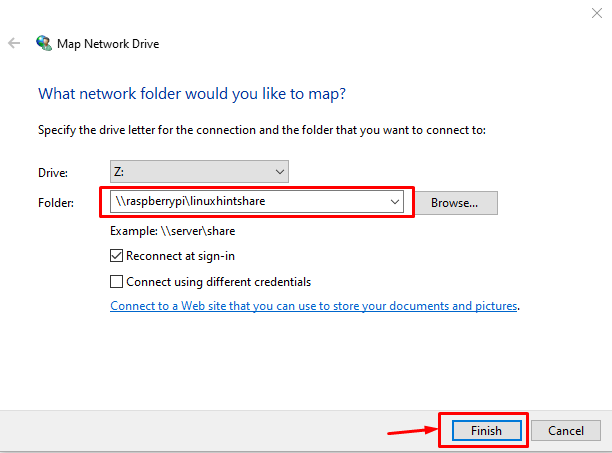
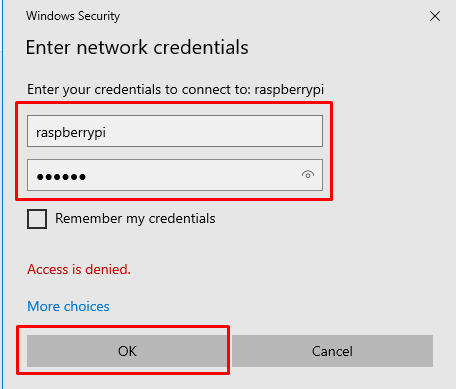
as it changed content in /etc/ufw/before.rules and /etc/ufw/before6.rules, check ERROR: problem running ufw-init

pivpn -d debug mode and it corrected the issue

pivpn installer failing to run iptables-save.

Check /var/log/xrdp.log , /var/log/xrdp-sesman.log 解决xrdp登陆不上的问题:xrdp session: Login failed for display 0

How to set up OpenVPN on Linux (with detailed Linux Mint tutorial)

Install Squid proxy on Ubuntu 20.04

enable the i2c interface

WireGuard Linux GUI Client

R Command

check library path:

.libPaths()

stop warning:

eg: suppressWarnings(library(survival))

online install, using a certain directory: eg:

install.packages(“survival”, lib=”C:\Program Files\\TIBCO\\statsvcs103\\statTERR\\engines\\Terr\\library”, dependencies=TRUE)

update the packages in the library:

update.packages()

check the packages are installed:eg:

library(rJava)

delete packages:eg: remove.packages("packageName")

check the dependency of a certain package: eg: ggplot2

install.packages("packrat")
packrat:::recursivePackageDependencies("ggplot2",lib.loc = .libPaths()[1],ignores=0)

check package version: eg: packageVersion("rJava")

download from a certain online repo: eg: install.packages('rJava', repos = "https://cran.microsoft.com/")

check R library directory: .libPaths();

R package archive

install certain package on linux: eg:

.libPaths();
export R_LIBS="/usr/local/lib/R/site-library"
sudo R CMD INSTALL -l /usr/local/lib/R/site-library rJava_0.9-13.tar.gz 
packageVersion("rJava")

SqlServer Command

login:

osql -S localhost -U sa -P xxxx

check sqlsever version:
select @@version
go

check collation name(characterset):

select name, collation_name from sys.databases

backup database:

BACKUP DATABASE DatabaseName TO DISK="D:\example\backupName.BAK" WITH INIT

GO

restore database:

SQLCMD -E -S LOCALHOST -Q "RESTORE DATABASE spotfire_server FROM DISK='C:\1\sp103.BAK' WITH REPLACE"

check all the databasename:

SELECT name, database_id, create_date FROM sys.databases ; GO

if execute through batch file: eg:

sqlcmd -i actionlog_refresh.sql > createview_log.txt

output the available hard disk volume size:

SELECT 
    volume_mount_point AS [Drive],
    total_bytes / 1024 / 1024 / 1024 AS [Total Size (GB)],
    available_bytes / 1024 / 1024 / 1024 AS [Available Space (GB)],
    (available_bytes * 1.0 / total_bytes) * 100 AS [Free Space %]
FROM sys.master_files AS f
CROSS APPLY sys.dm_os_volume_stats(f.database_id, f.file_id)
GROUP BY volume_mount_point, total_bytes, available_bytes
ORDER BY volume_mount_point;
GO

Docker Command

save image to .tar file:

docker save -o exportName.tar imageName

docker save imageName > exportName.tar

load .tar to image:

docker load -i image.tar

list images:

docker image ls

docker images

make container: 实例:制作自己的 Docker 容器

docker container run -p pcSidePort:containerSidePort -it imageName

check docker version:

docker version

check the state of docker:

docker ps -a

restart the container:

docker restart IDNumber

show front 100 line logs:

docker logs IDNumber -f --tail 100

start docker:

systemctl start docker

RHEL/CentOS 8 Preparation for Installation:

sudo dnf -y install iptables --nobest ||:
sudo dnf -y install iptables-services --nobest
sudo systemctl disable firewalld ||:
sudo systemctl disable nftables ||:
sudo systemctl enable --now iptables.service
sudo dnf rm -y podman
sudo dnf config-manager \
--add-repo=https://download.docker.com/linux/centos/docker-ce.repo
sudo sed -i '/ˆgpgkey=https:\/\/download.docker.com\/linux\/centos\/gpg/a module_hotfixes=True' \
/etc/yum.repos.d/docker-ce.repo
sudo dnf install -y --nobest docker-ce
yum erase podman buildah
sudo yum install docker-ce docker-ce-cli containerd.io
sudo systemctl enable --now docker
sudo systemctl status docker

Create docker user group:
sudo groupadd docker
set group password and make user become group administrator:
sudo gpasswd -a $USER docker
put user into a group:
sudo usermod -aG docker $USER
Switch the current non-root user group to the docker user group:
exec newgrp docker
veryfy it:
docker run hello-world

Installation of docker-compose:

ver1:

binary="docker-compose-$(uname -s)-$(uname -m)"
compose=/usr/local/bin/docker-compose
sudo curl -L "https://github.com/docker/compose/releases/download/1.29.2/$binary" -o $compose
sudo chmod +x $compose
sudo restorecon -v $compose

ver2:

sudo curl -L "https://github.com/docker/compose/releases/download/v2.29.2/$binary" -o $compose

The restorecon command is only needed in an SELinux environment.

check all the output log of the containers in docker:

docker-compose logs

show the node in cluster:

docker node ls

show the network in docker:

docker network ls

show current stack:

docker stack ls

then show task in the stack:

docker stack ps stackName

show docker system information:

docker info

get container’s metadata:

docker inspect IDname

about docker plugin:

docker plugin命令

docker plugin COMMAND

how to change docker network setting(docker0):

docker のネットワーク (docker0) 設定変更

check docker config:

docker config ls

get into the container:

docker exec -it ContainerID bash

set proxy for docker:

sudo vi /etc/systemd/system/docker.service.d/http-proxy.conf

Then fill in the proxy server content:

[Service]
Environment="HTTP_PROXY=http://xxx:PortNumber"
Environment="HTTPS_PROXY=http://xxx:PortNumber"

then restart docker and test the content:

sudo systemctl daemon-reload
sudo systemctl restart docker
sudo systemctl show --property=Environment docker

How to save all Docker images and copy to another machine

start docker container, load from local otherwise from docker hub(-d means run background, -it means keep running):

docker run --restart=always --name containerName -p hostPort:containerPort -e firstEnvironmentVariable=xxx -it -d imageName:tagVersion

down load the container image: docker pull imageName

stop the container: docker stop containerID

start the container: docker start containerID

delete the container: docker rm containerID

delete the container image: docker rmi containerID:version

Dockerfile example(use ubuntu 20.04, as root, set env variable envVariableName, set work directory, use add to copy the file from internet, execute script.py then end container):

FROM ubuntu:20.04
USER root

RUN apt update
RUN apt install -y python3.9
RUN apt install -y python3-pip

COPY requirements.txt .
RUN python3.9 -m pip install -r requirements.txt

ENV envVariableName=xxx

WORKDIR /absolutePath
ADD https://xxx.xxx .

COPY script.py .
ENTRYPOINT ["python3.9", "script.py"]

create a docker image: docker build -t imageName:version -f Dockerfile .

Docker Error – Requires: container-selinux >= 2:2.74

Cannot install docker in a RHEL server —-> slirp4netns >= 0.4

check container automatically start status:

docker inspect -f "{{.Name}} {{.HostConfig.RestartPolicy.Name}}" $(docker ps -aq)

clear all the docker images:

docker stop $(sudo docker ps -aq)
docker rm $(sudo docker ps -aq)
docker rmi $(sudo docker images -q)
docker system prune -a

resource usage statistics:
docker stats
docker stats
container_id_or_name

clean unused Docker resources:

docker system prune -a

通过 WordPress.com 设计一个这样的站点
从这里开始