sudo apt-get install samba samba-common-bin -y
mkdir /home/ubuntu/samba_dir
sudo vi /etc/samba/smb.conf
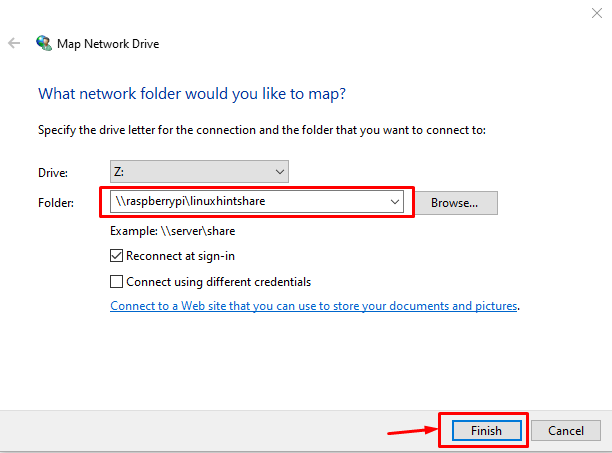
[linuxhintshare(ExternalShareFolderName)]
path = /home/ubuntu/samba_dir
writeable=Yes
create mask=0777
directory mask=0777
public=no
add the content above at the end of the smb.conf
create an account:
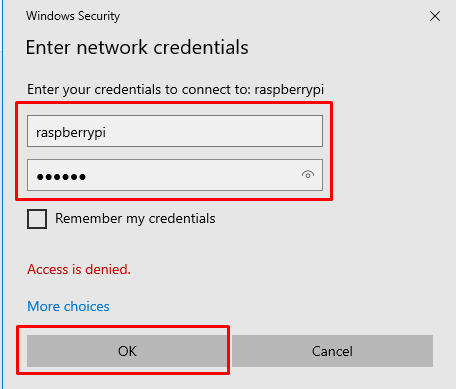
sudo smbpasswd -a raspberrypi(yourLinuxLoginAccountName)
sudo systemctl restart smbd
sudo systemctl status smbd
sudo ufw allow from 192.168.x.0/16 to any app Samba
usage:
 KAGAYA's Blog